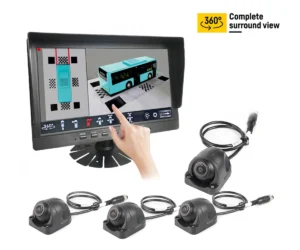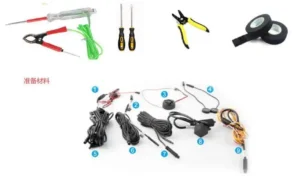
When customers replace a vehicle camera or upgrade an old rear view camera system, one of the most common problems is simple but frustrating:
The new camera is connected, the monitor powers on, but there is no image.
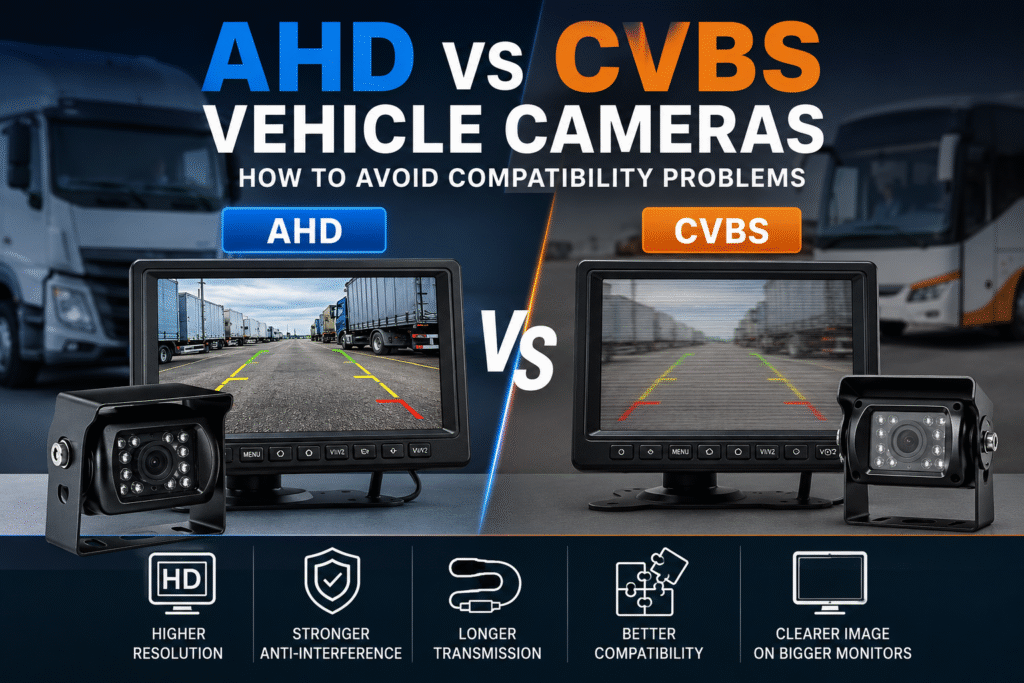
In many cases, the camera is not broken. The monitor is not broken either. The real reason is usually a signal compatibility problem between AHD and CVBS.
For trucks, buses, forklifts, construction machinery, agricultural vehicles and other commercial vehicles, understanding the difference between AHD and CVBS can help buyers avoid wrong purchases, installation delays and unnecessary after-sales trouble.
What Is CVBS?
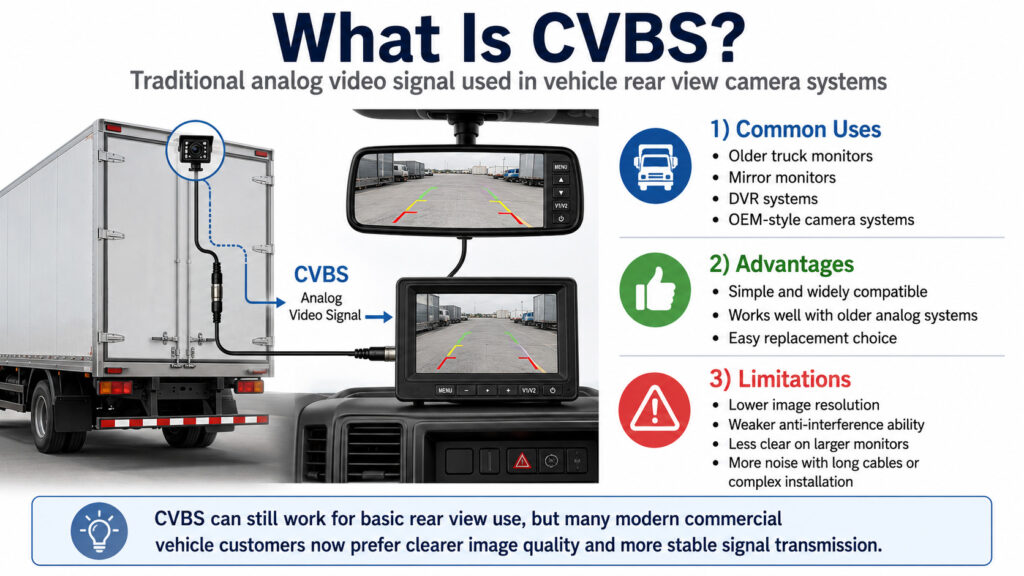
CVBS is the traditional analog video signal. It has been widely used in vehicle rear view camera systems for many years.
Many older truck monitors, mirror monitors, DVR systems and OEM-style camera systems still use CVBS signal.
The advantage of CVBS is that it is simple and widely compatible with old systems. If a vehicle already has an old analog monitor installed, a CVBS camera may still be the easiest replacement choice.
However, CVBS also has some obvious limits:
- Lower image resolution
- Weaker anti-interference ability
- Less clear image on larger monitors
- More visible noise when the cable is long or the installation environment is complicated
For basic rear view use, CVBS can still work. But for many modern commercial vehicle applications, customers now prefer a clearer image and more stable signal transmission.
What Is AHD?
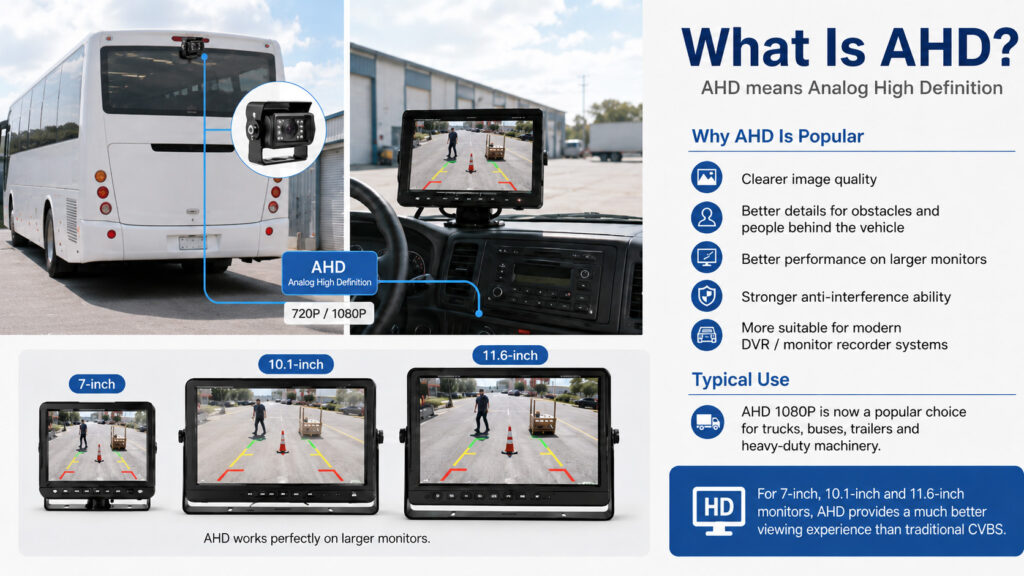
AHD means Analog High Definition.
It is still transmitted through analog-style cable, but it can support much higher resolution, commonly 720P or 1080P. In vehicle camera systems, AHD 1080P is now a very popular choice for trucks, buses, trailers and heavy-duty machinery.
Compared with CVBS, AHD usually provides:
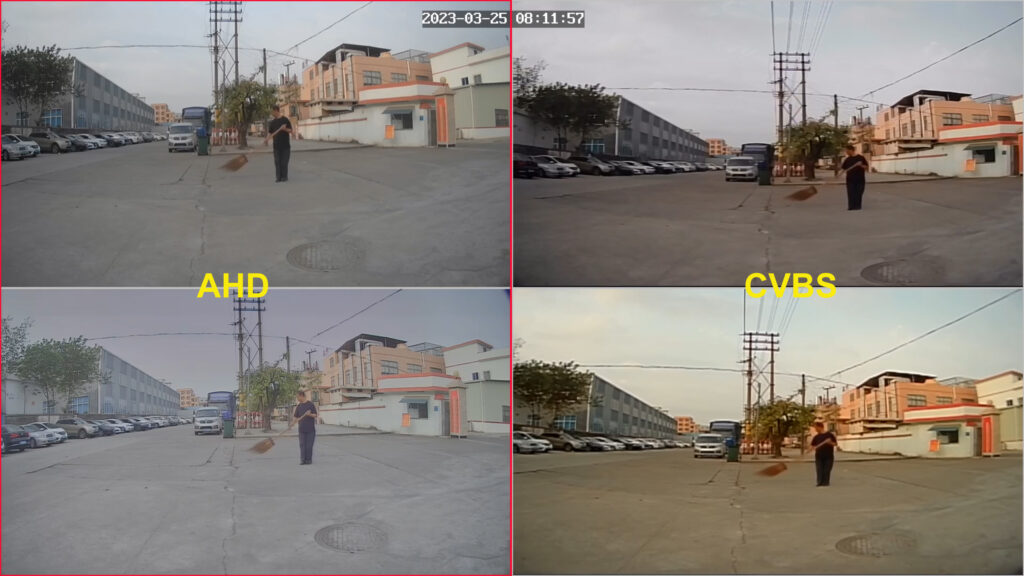
- Clearer image quality
- Better details for obstacles and people behind the vehicle
- Better performance on larger monitors
- Stronger anti-interference ability
- More suitable for modern DVR / monitor recorder systems
For example, if a customer wants to use a 7-inch, 10.1-inch or 11.6-inch monitor, AHD can provide a much better viewing experience than traditional CVBS.
The Biggest Problem: AHD and CVBS Are Not Always Compatible
This is the key point many buyers miss.
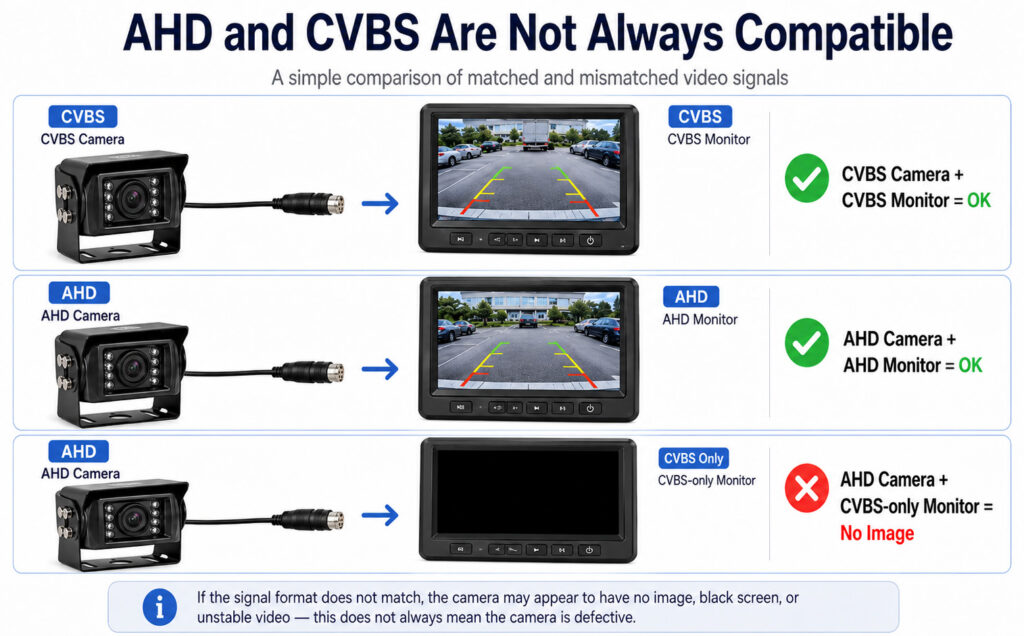
An AHD camera cannot always work with an old CVBS-only monitor.
If the monitor only supports CVBS input, and the camera outputs AHD signal, the monitor may show:
- No image
- Black screen
- Rolling image
- Distorted image
- Wrong color
- Unstable video
This does not mean the camera is defective. It only means the signal format is not matched.
The same problem can also happen the other way around. If the monitor is set to AHD mode but the camera is CVBS, the image may also not display correctly.
Why This Happens So Often in Vehicle Camera Replacement
In many real projects, customers only check the camera appearance and connector.
For example, they may think:
“The connector looks the same, so it should work.”
But for vehicle camera systems, this is not enough.
Before replacing a camera, buyers should confirm at least four things:
- Video signal format: CVBS, AHD 720P, AHD 1080P, or hybrid
- Connector type: 4-pin aviation, RCA, BNC, DIN, or OEM connector
- Voltage: 12V, 24V, or 12–24V wide voltage
- Monitor compatibility: CVBS only, AHD only, or AHD/CVBS auto-switching
The connector may look correct, but if the signal format is different, the system still may not work.
AHD vs CVBS: Simple Comparison Table
| Item | CVBS Camera | AHD Camera |
|---|---|---|
| Image quality | Standard definition | HD, usually 720P or 1080P |
| Compatibility | Good with old analog systems | Better with modern monitors and DVRs |
| Anti-interference | Normal | Better |
| Long cable performance | Easier to lose quality | More stable when cable and shielding are good |
| Suitable monitor size | Small screens or old systems | 7-inch, 10-inch, 11.6-inch and larger screens |
| Best use | Replacement for old CVBS systems | New installations and upgrades |
Should You Still Choose CVBS?
Yes, sometimes CVBS is still the right choice.
If your customer already has an old CVBS monitor or DVR, and they only want to replace one broken camera without changing the whole system, then a CVBS camera may be more practical.
CVBS is also useful when the customer wants the lowest-cost basic rear view solution and does not need HD image quality.
But if the project is a new installation, or if the customer wants clearer image quality, AHD is usually the better long-term option.
When Should You Choose AHD?
AHD is recommended when:
- The customer wants 720P or 1080P image quality
- The vehicle uses a larger monitor
- The system includes DVR or monitor recording function
- The installation cable is relatively long
- The vehicle works in a harsh environment with possible signal interference
- The buyer wants a more modern and future-ready system
For trucks, buses, engineering vehicles, agricultural machines and fleet projects, AHD has become a very common choice because it offers better image quality without making the system too complicated.
What About Hybrid AHD/CVBS Monitors?
For distributors and installers, a hybrid monitor can be a safer choice.
A monitor that supports both AHD and CVBS can help avoid many compatibility issues. It gives more flexibility when customers are not 100% sure about their existing camera signal.
For example, if a customer has an old CVBS camera today but may upgrade to AHD later, a hybrid monitor can make the transition easier.
This is also useful for B2B suppliers and local installers who need to handle different customer vehicles, different camera models and different replacement situations.
Don’t Forget the Cable and Connector
Signal compatibility is only one part of the system.
The cable and connector also matter, especially for AHD 1080P video.
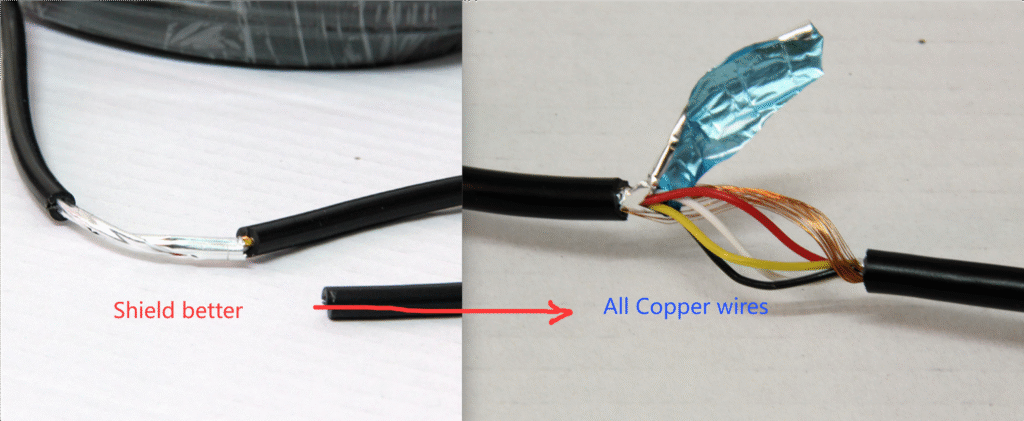
AHD requires better transmission quality than old CVBS systems. This is why some AHD camera systems use better shielded cables and sometimes larger or different connectors compared with older analog systems.
If the cable quality is poor, or if the cable is too long without good shielding, the image may become unstable even when the camera and monitor are compatible.
For long trucks, trailers, buses or special vehicles, it is better to confirm the cable length and connector type before production or shipment.
A Practical Checklist Before Buying or Replacing a Vehicle Camera
Before ordering a replacement camera or monitor, we suggest checking the following:
1. Check the existing monitor signal
Is it CVBS only?
Does it support AHD?
Can it auto-detect AHD/CVBS?
If you are not sure, check the monitor label, user manual or product specification.
2. Check the camera signal
Is the camera CVBS, AHD 720P or AHD 1080P?
Do not judge only by appearance. Two cameras may look almost the same but output different video signals.
3. Check the connector
Is it 4-pin aviation connector, RCA, BNC, DIN or another OEM connector?
Also check the pin definition. The same connector shape does not always mean the same wiring.
4. Check the power supply
Most commercial vehicle camera systems use 12V or 12–24V wide voltage, but it is still important to confirm.
Wrong power input may damage the camera or cause unstable operation.
5. Check the cable length
For normal truck rear view camera systems, 20m to 30m cable is common. For longer vehicles or special projects, cable quality becomes more important.
6. Test before final installation
Before routing the cable through the vehicle body, connect the camera, cable and monitor on the workbench first.
This simple step can save a lot of installation time.
Common Problem: “The Monitor Has Power, But No Image”
If this happens, do not immediately assume the camera is defective.
Try these steps first:
- Confirm whether the monitor input channel is correct
- Confirm whether the camera and monitor signal formats match
- Check the connector and pin definition
- Test with a shorter known-good cable
- Test the camera with another compatible monitor
- Test the monitor with another compatible camera
- Check whether the monitor supports AHD 1080P or only CVBS
In many after-sales cases, the problem is solved once the signal format is matched correctly.
For Distributors: Why This Matters
For vehicle camera distributors, service companies and local installers, AHD/CVBS compatibility is not only a technical detail. It directly affects customer satisfaction.
If the wrong signal format is supplied, the customer may think the product quality is poor, even when the product itself is fine.
To reduce this risk, distributors can prepare:
- CVBS replacement cameras for old systems
- AHD 1080P cameras for new installations
- Hybrid AHD/CVBS monitors for flexible use
- Clear product labels showing the signal format
- Simple installation guides for local technicians
This makes product selection easier and reduces unnecessary warranty claims.
Conclusion
AHD and CVBS are both common in vehicle camera systems, but they are not the same.
CVBS is suitable for older analog systems and simple replacement projects. AHD is better for modern commercial vehicles that need clearer image quality, stronger signal performance and better DVR/monitor compatibility.
The most important rule is simple:
Before replacing or buying a vehicle camera, always confirm the signal format, connector, power supply and monitor compatibility.
This small step can avoid black screens, installation delays and unnecessary after-sales problems.
At Lintech/Kysail, we support both CVBS and AHD vehicle camera systems, including rear view cameras, waterproof monitors, DVR monitor systems and customized solutions for trucks, buses, forklifts, agricultural vehicles and construction machinery.
If you are not sure whether your existing system is AHD or CVBS, you can send us the camera, monitor or connector information. We will help you check the compatibility before you place the order.
FAQ
1. Can an AHD camera work with a CVBS monitor?
Not always. If the monitor only supports CVBS, it may not display an AHD camera image. You need an AHD-compatible or hybrid AHD/CVBS monitor.
2. Is AHD better than CVBS?
For image quality, yes. AHD can provide HD video such as 720P or 1080P, while CVBS is standard definition. AHD is usually better for new commercial vehicle camera systems.
3. Why does my monitor show a black screen after replacing the camera?
The most common reason is signal incompatibility. The new camera may be AHD, while the old monitor may only support CVBS.
4. Can I use the same cable for AHD and CVBS?
Sometimes yes, but for AHD 1080P, cable quality and shielding are more important. Poor cable quality may cause unstable image or signal loss.
5. What is the safest choice for distributors?
A hybrid AHD/CVBS monitor is often safer because it can work with more camera types and reduce compatibility problems during replacement or installation.